Blog /
Black Friday discounts on Shopify, set up and tested
Set up Black Friday discounts on Shopify: code or automatic, type, start and end times and limits, with 2026 dates. Run the test plan before 27 November.
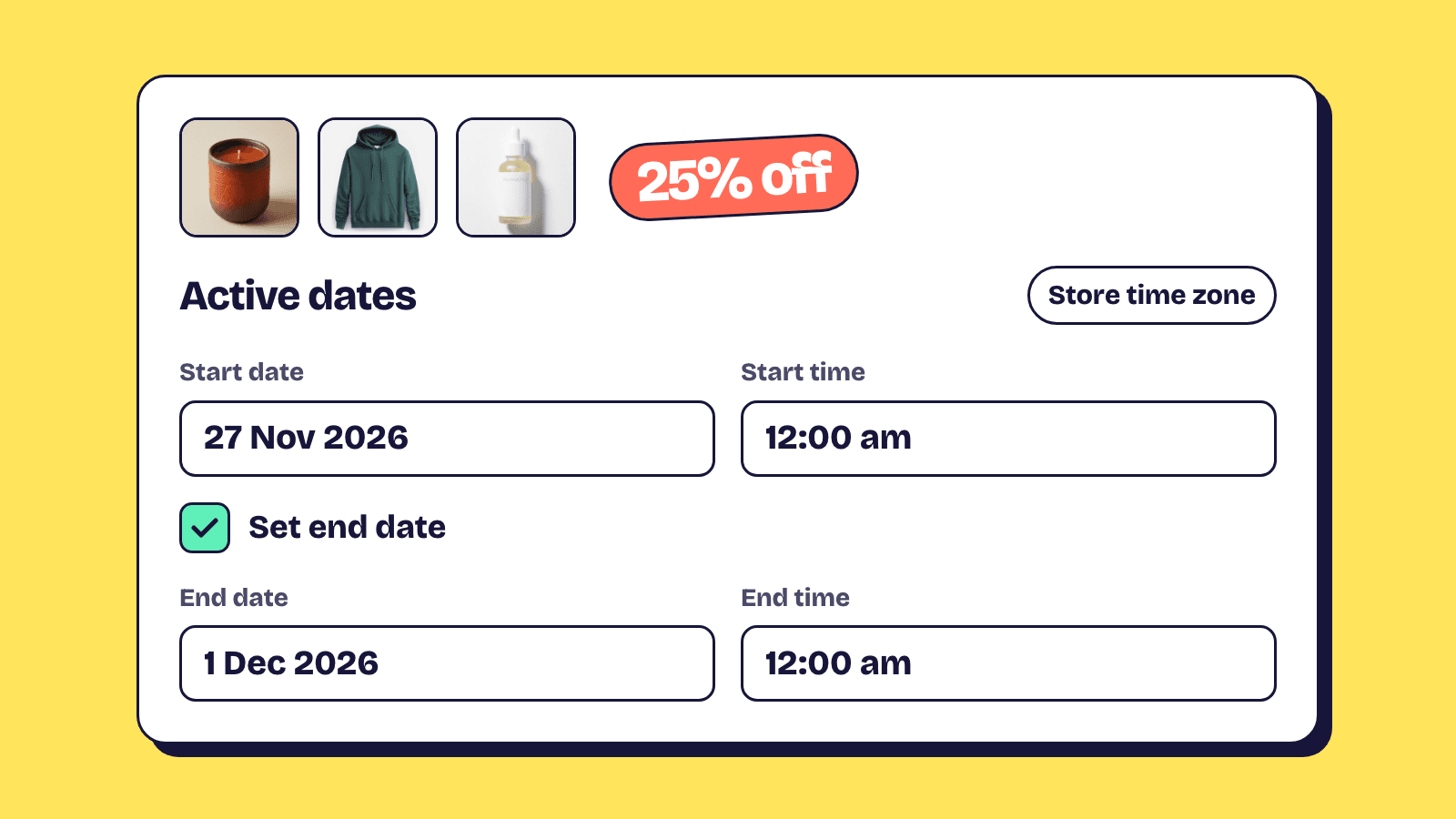
Black Friday discounts on Shopify are all built in one place, Discounts in your admin, and each one comes down to five choices: automatic or code, the discount type, the active dates, the limits, and what it combines with. In 2026 Black Friday is Friday 27 November and Cyber Monday is Monday 30 November. Build the discounts by mid-November so a full week is left to test them; the BFCM checklist fits that into the rest of the store's plan.
This guide takes each choice in turn with Shopify's own settings, then gives you a test plan and the mistakes to check for.
The 2026 dates to build around
Decide the shape of your sale before you open the Discounts page, because the shape decides how many discounts you need and when each one starts.
| Sale shape | Discounts to build | Active dates |
|---|---|---|
| One offer, Friday to Monday | 1 automatic discount | Fri 27 Nov, 12:00 am to Tue 1 Dec, 12:00 am |
| Email list first, then everyone | 1 code for the list, 1 automatic discount for the public | Code from Thu 26 Nov, automatic from Fri 27 Nov |
| A different offer on Cyber Monday | 2 automatic discounts | Fri 27 Nov to Mon 30 Nov, then Mon 30 Nov to Tue 1 Dec, each from 12:00 am |
Use an automatic discount for the headline offer, codes for a list
Shopify applies an automatic discount in the cart and at checkout as soon as the cart meets its conditions. A code only works when the customer enters it at checkout, which suits an email list, a creator partnership or a VIP group.
Our view: for a sitewide sale, automatic is the better default. A shopper who arrives from a search never saw your email, and a code they don't have is a reason to leave and go looking for one.
Both methods have limits, on active automatic discounts and on codes per order, listed in the discount combinations guide. A bundle offer usually comes from a bundle app as an automatic app discount, so it counts toward the automatic limit too; the Shopify bundle discounts guide explains how bundle tiers are worked out.
Codes have one extra that helps email: a shareable link. Open the discount, click Promote, then Get a shareable discount code to copy a link or download a QR code that applies the code at checkout. Shopify notes that shareable links work only for active discounts, so send the email after the code's start time.
Match the discount type to the offer
Shopify has four built-in discount types, chosen from Select discount type when you click Create discount. Each common Black Friday offer maps onto one of them.
| Offer | Discount type | Settings that make it |
|---|---|---|
| 25% off everything, or 30% off one collection | Amount off products | Percentage, applies to specific collections or products |
| $20 off orders over $100 | Amount off orders | Fixed amount, minimum purchase amount of $100 |
| Buy 2, get 1 free | Buy X get Y | Customer buys a minimum quantity of 2, customer gets 1 at Free |
| Free shipping over $50 | Free shipping | Minimum purchase amount of $50, all or selected countries |
A few details from Shopify's setup pages are easy to miss:
- Buy X get Y never adds the free item for the customer. Shopify says customers must add all items to their cart manually, so the product page and the banner need to say what to add.
- A minimum purchase amount counts product prices only. Shipping and taxes don't count toward it.
- Free shipping can exclude shipping rates over a set amount, so an express rate doesn't become free by accident.
A "spend more, save more" ladder, such as $20 off $100 and $50 off $200, is one order discount per threshold. Leave them set not to combine with each other. A $200 cart qualifies for both, and Shopify applies the better one, $50 off; set to combine, the same cart could get $70 off. Left uncombined with order discounts, the ladder also won't stack with your order codes.
Before you pick the depth, check your margin. The breakeven table in the bundle pricing strategy guide works for any discount, not only bundles.
Schedule start and end times in your store's time zone
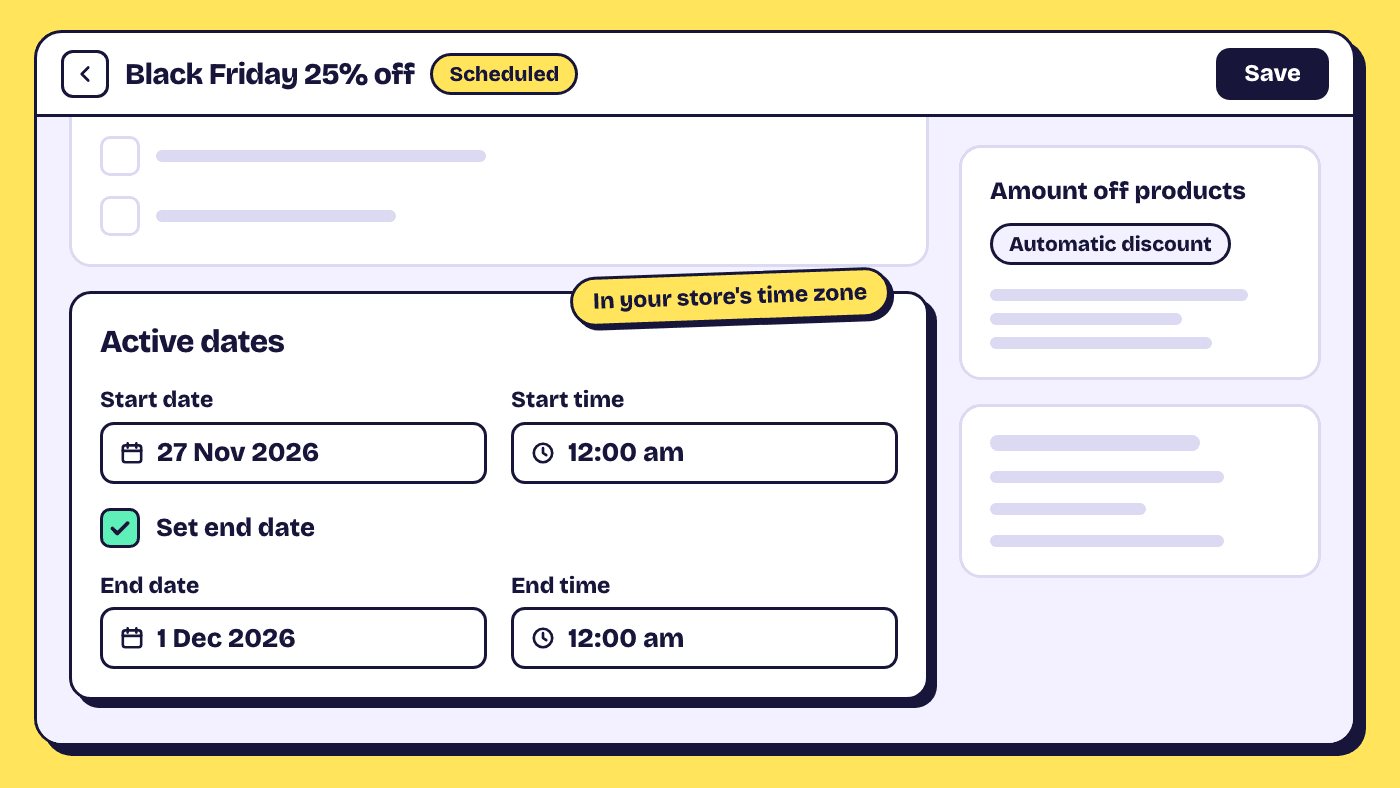
Every discount has Active dates: a start date and start time, plus an end date and end time once you tick Set end date. Shopify reads them in the time zone set under Settings, General, Store defaults, and the discount expires at the end time you set, based on the admin's time zone. Your laptop's clock and your customers' time zones don't come into it.
So check that setting first, especially if someone in another country set up the store. If the store is on London time and the sale should open at midnight in New York, the start time is 5:00 am on Friday 27 November: by then both countries have left daylight saving time, and New York is five hours behind.
Set end times on purpose. An end time of 12:00 am on Monday 30 November ends the sale as Monday begins, which quietly removes Cyber Monday. For a sale that covers all of Monday, end it at 12:00 am on Tuesday 1 December.
To launch discounts together with theme or checkout changes, Shopify's rollouts can schedule when discounts switch on and off, on the Basic plan and higher (rollout requirements). For a straightforward sale, each discount's own dates are enough. Compare-at sale prices are a separate feature that these dates don't touch.
Set limits before anyone shares the code
Codes are limited by how many times they're used; both methods are limited by who and what qualifies. For a code, the Maximum discount uses section offers a limit on the total number of uses and a limit of one use per customer, which Shopify tracks by the customer's email address or phone number. Use the total for "first 100 orders" offers and the per-customer limit for anything you send by email.
For both methods, Eligibility decides who gets the discount: all customers, specific customers, customer segments, or markets. An early access code for subscribers with its eligibility set to that segment stays limited to them, even if someone posts it on a coupon site.
Two settings change the amount more than people expect. A fixed amount off specific products comes off every eligible product in the order unless you tick Only apply discount once per order, so "$10 off the gift collection" is $10 off each item from it. And fixed amount discounts are converted from your store currency at checkout for customers in other markets, so $20 off is not a round number in euros. Percentages need no conversion.
Decide what each discount combines with
By default Shopify discounts don't combine. Every discount belongs to a class (product, order or shipping), and two discounts apply to the same order only when each one is set to combine with the other's class. When they can't combine, Shopify applies the best discount for the customer's cart.
Go through each pair you'll run at the same time. The sitewide offer and free shipping usually should combine, so tick shipping discounts on the sale and the sale's class on the free shipping discount. Email codes on top of a deep sitewide sale usually should not, unless you've priced the combined depth. The full rules, with worked numbers, are in the Shopify discount combinations guide.
Test with a real checkout before the day
A scheduled discount can't apply before it starts, so test a copy. Duplicate the discount, set the start date to today, and set its Eligibility to a customer segment that holds only your own test customer. Shopify identifies segment customers at checkout by a valid email address or phone number, so check out with that customer's email. Delete the copy afterwards.
Check the checkout, not only the cart:
- The discount line shows the amount you expect.
- A cart that should not qualify gets nothing.
- Discounts you meant to stack appear together, and the ones you didn't, don't.
- Free shipping shows on the rates you meant it for.
- A cart in one of your other markets shows the converted amounts you're happy with.
You can enter codes at checkout without paying. For a full run with payment, Shopify supports a test payment gateway, Shopify Payments test mode, or a real order that you cancel and refund (test orders).
Five Black Friday discount mistakes to check for
Stacking on top of sale prices
A percentage off products comes off the price the product sells at. Products already marked down with a compare-at price get the Black Friday discount on top, unless you point the discount at collections that leave them out.
A code that combines with nothing
It can knock free shipping off the order. If the banner promises free shipping, let your codes combine with shipping discounts; the discount combinations guide works through the numbers.
Changing the method at the last minute
Shopify doesn't let you change the type or method of an existing discount. Turning a code into an automatic discount means deleting it and creating a new one, so decide early.
Placeholder discounts at 0%
Some stores make 0% codes to track creator sales. Shopify warns that discounts with a $0 or 0% value might not work correctly at checkout, and suggests at least $0.01 or 1%.
Leaving test mode on
Shopify is clear that customers can't place live orders while your payment provider is in test mode. Check your payment settings once more on Thursday.
After the weekend, review and switch off
Open the Sales by discount codes report under Analytics, Reports. It lists each code and automatic discount by name, so you can see which drove orders. Then deactivate anything that has no end date. One trap for next year: when you reactivate an expired discount, Shopify makes it active with no end date, so set a new end date straight away.
Frequently asked questions
When is Black Friday 2026?
Black Friday 2026 is Friday 27 November. Cyber Monday is Monday 30 November, and Thanksgiving in the US is Thursday 26 November.
Can I schedule a Shopify discount to start at midnight?
Yes. Set the start date and start time in the discount's Active dates. Shopify reads the time in the store's time zone from Settings, General, so 12:00 am means midnight there.
Should my Black Friday sale end at midnight on Monday?
End it at 12:00 am on Tuesday 1 December in your store's time zone. An end of 12:00 am on Monday 30 November stops the sale just as Cyber Monday begins.
How do I limit a Black Friday offer to one use per customer?
Use a discount code and tick Limit to one use per customer under Maximum discount uses. Shopify tracks it by the customer's email address or phone number. Shopify's help lists these usage limits in the steps for discount codes.
Do I need an app for Black Friday discounts?
Not for the four built-in types: amount off products, amount off orders, buy X get Y and free shipping. Apps add discount types Shopify doesn't have built in.