Blog /
Shopify discount combinations, what stacks and when
Shopify discount combinations explained: classes, what stacks, code limits and which discount wins, with worked carts. Test your mix before launch.
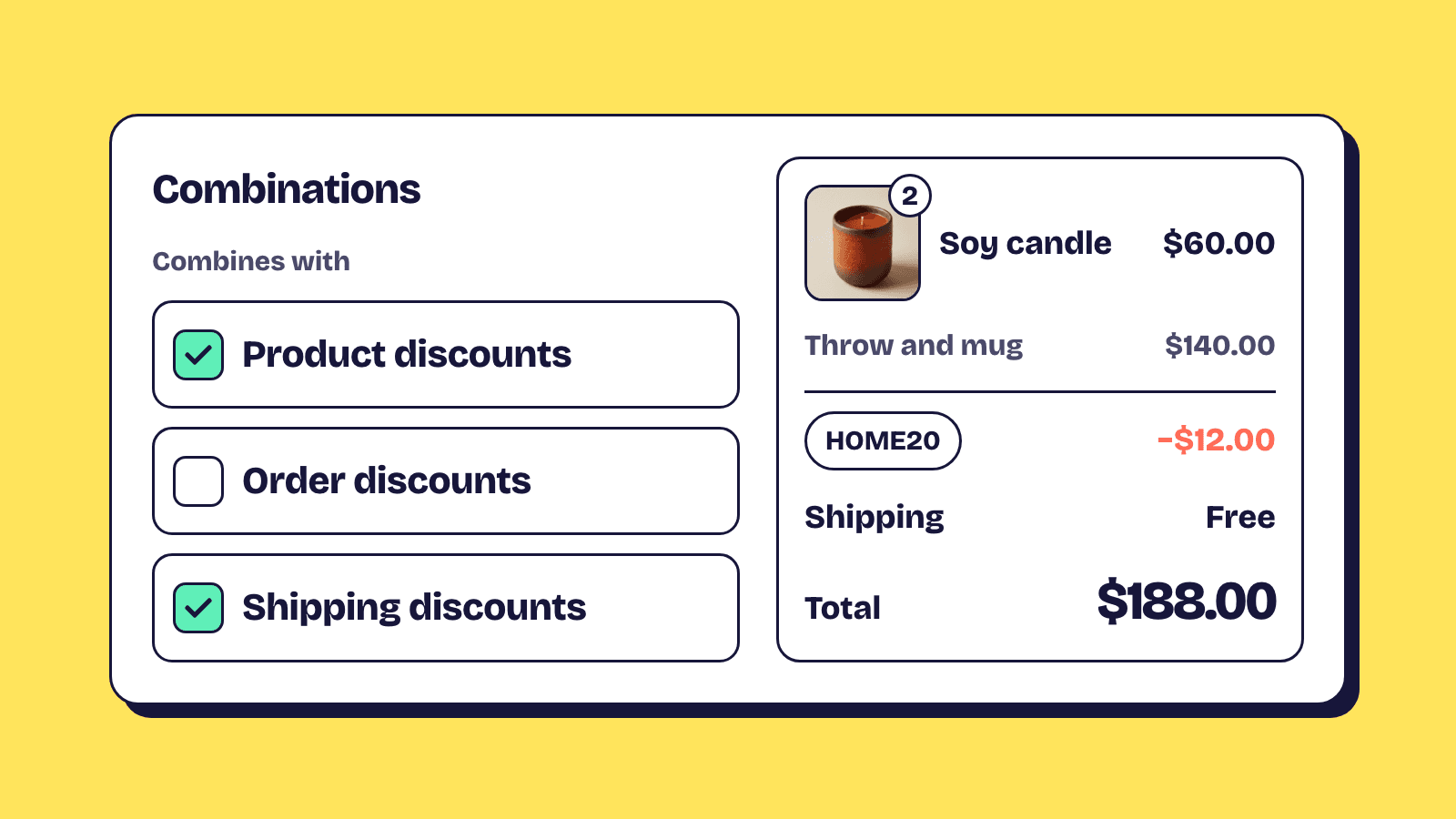
Shopify discount combinations decide whether two or more discounts can apply to the same order. Every discount has a class (product, order or shipping), and two discounts stack only when each one is set to combine with the other's class. Shopify then applies them in a fixed order, products first, then the order subtotal, then shipping, and when discounts can't combine it applies the best one for the customer's cart.
This guide takes each rule from Shopify's combination docs and works it through with real numbers. For building and scheduling a sale, see the Black Friday discounts guide; this post is the rulebook.
Every discount has a class: product, order or shipping
The class is what the discount changes, and it decides what the discount can sit next to.
| Class | What it changes | Built-in type |
|---|---|---|
| Product | Specific items or collections | Amount off products |
| Order | The cart subtotal | Amount off orders |
| Shipping | Shipping costs | Free shipping |
Buy X get Y takes money off products and has an extra rule of its own, covered further down.
Discounts made by apps can carry more than one class at once, for example one code that takes 10% off the order and makes shipping free. Shopify's rule for those: such a discount "can combine only with other discounts that allow combinations with all of the included classes". So for a product discount to stack with that code, it has to allow both order and shipping discounts.
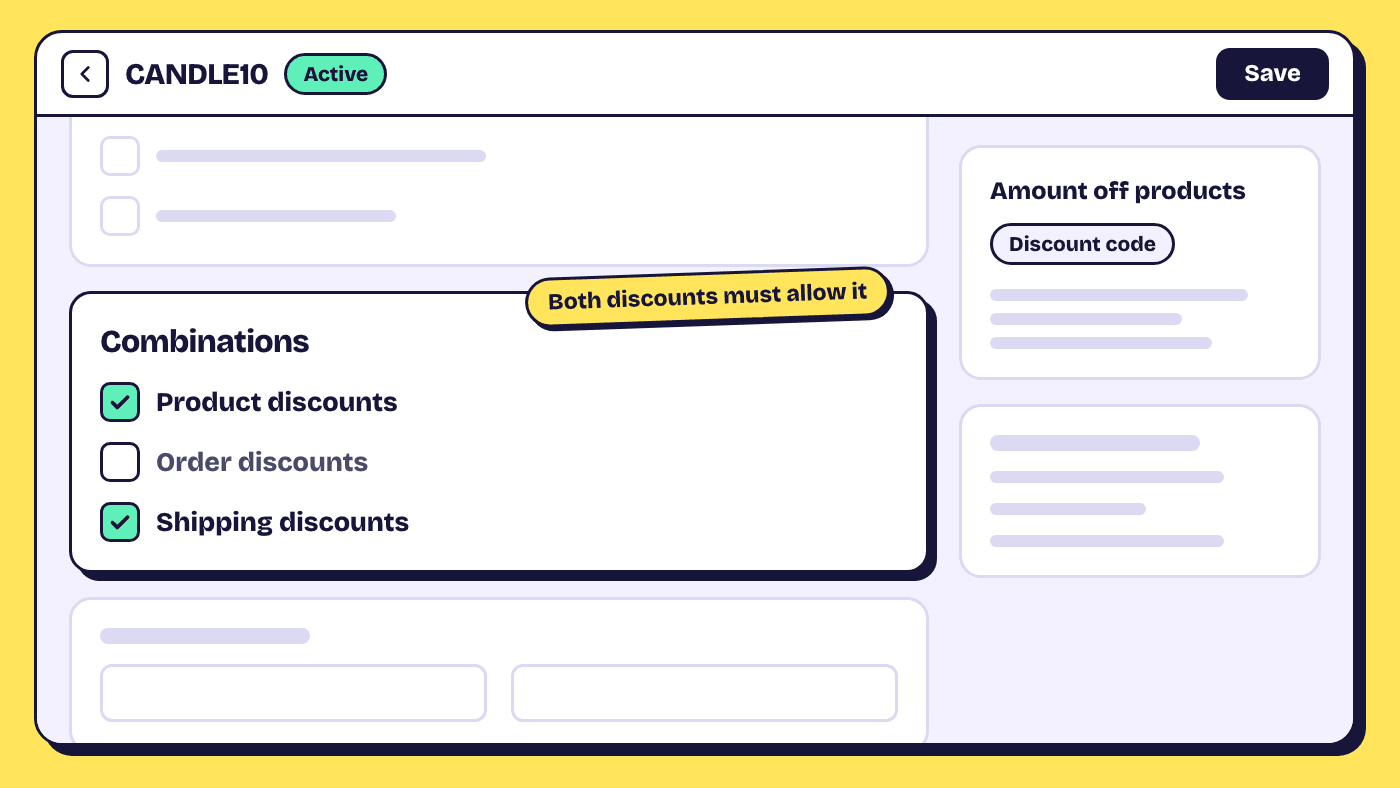
Two discounts combine only when both allow it
Discounts don't combine automatically. Each discount has a Combinations section where you tick the classes it may combine with, and the setting has to match on both sides. A 20% product discount that allows order discounts still won't stack with a 10% order code unless the code allows product discounts too.
You can create two discounts separately and set them to combine later, once both are active. Editing a discount to allow combinations doesn't change orders it was already used on. And the type and method can't be changed on an existing discount: to turn a code into an automatic discount, you delete it and create a new one.
Three pairs combine on every store, the other four have limits
Three pairs are open to every store, two need an eligible store, one needs Shopify Plus, and one never works.
| Combination | Who can use it |
|---|---|
| Product discounts on different items | All stores |
| Product discount and free shipping | All stores |
| Order discount and free shipping | All stores |
| Product discount and order discount | Eligible stores |
| Order discount and order discount | Eligible stores |
| Product discounts on the same item | Shopify Plus only |
| Shipping discount and shipping discount | Not possible |
"Eligible" has two conditions in Shopify's docs: the store doesn't use checkout.liquid customizations, and it doesn't use the Licensify app. If you meet both and the options don't show, Shopify asks you to contact support.
Shopify applies products first, then the order, then shipping
The order of operations decides the final number. Product discounts come off individual items, order discounts come off the subtotal that's left, and shipping discounts come last. Two more rules cover order discounts:
- Percentage order discounts are all worked out on the same subtotal, so they add up instead of compounding. Shopify's own example: 10% and 20% off a $100 order leaves $70, which is 30% off.
- When a percentage and a fixed amount order discount combine, the percentage applies first and the fixed amount after.
Worked example: three classes on one cart
The cart: a throw at $120, two candles at $30 each and a mug at $20. Subtotal $200, shipping $12.
| Discount | Method | Class | Combines with |
|---|---|---|---|
| HOME20, 20% off candles | Automatic | Product | Order, shipping |
| WELCOME10, 10% off the order | Code | Order | Product, shipping |
| Free shipping over $100 | Automatic | Shipping | Product, order |
Every discount allows the other two classes, so on an eligible store (product with order is a gated pair) all three apply:
- Product: the candles go from $60 to $48, so the subtotal is $188.
- Order: 10% of $188 is $18.80, so the subtotal is $169.20.
- Shipping: the subtotal is over $100, so the $12 rate is free.
The customer pays $169.20 before tax and saves $42.80.
Worked example: two order discounts
Add an automatic 15% off orders over $150, set to combine with product and order discounts, and tick order discounts on WELCOME10 too. Both percentages come off the same $188: 25% of $188 is $47, so the subtotal is $141. Had they compounded, it would have been $143.82.
Now swap the 15% for $20 off orders over $100. The percentage goes first, $188 to $169.20, then the $20, leaving $149.20. Both versions need an eligible store, because order and order is one of the gated pairs.
When discounts compete, the customer gets the best one
If two discounts can't combine, Shopify doesn't pick the newest one or the code the customer just typed. It applies the best discount or combination of discounts for the customer's cart. When a customer enters codes that can't be used together, checkout tells them and keeps the best combination.
Worked example: a code that combines with nothing
Same $200 cart, with HOME20 and free shipping running. The customer enters BF25, 25% off the order, set to combine with nothing. Shopify can apply either side, not both:
| Option | Discounts | Customer pays |
|---|---|---|
| A | HOME20 and free shipping | $188 + $0 shipping = $188 |
| B | BF25 alone | $150 + $12 shipping = $162 |
Option B is better for the customer, so BF25 applies, and the candle discount and the free shipping both drop off. If BF25 had allowed shipping discounts (and the free shipping discount allowed order discounts), the customer would have paid $150.
Our view: a code that combines with nothing is rarely what a store means. It's usually the default nobody changed. If you advertise free shipping, at least let your codes combine with shipping discounts.
Product discounts on the same item need Shopify Plus
On every plan except Plus, one item takes one product discount. Two product discounts can sit in the same cart when they're on different items, but on the same item they compete, and the better one applies. With only the two candles in the cart, HOME20 and a CANDLE10 code (10% off candles) can't both apply: the candles get 20% and cost $48.
Shopify Plus stores can stack product discounts on the same line item with tags. Each discount lists the tags it combines with, and the setup has to match both ways: discount A tagged promo combines with clearance, and discount B tagged clearance combines with promo. Free shipping discounts can carry tags but still can't combine on the same shipping line.
Buy X get Y has its own rule
On every plan except Plus, all products that are part of a buy X get Y discount can't take further product discounts. Run "buy 2 candles, get a mug free" next to HOME20 and the candles and mug in that offer won't also get 20% off; Shopify applies the best overall result instead. On Plus, the product the customer gets can combine product discounts on the same line, while the products they buy still follow the best overall rule. And when the two can combine, an item that already has another product discount doesn't count toward a buy X get Y minimum purchase amount at all.
How app discounts built on Shopify Functions take part
App discounts take part in combinations the same way Shopify's own do. An app that runs its own discount logic uses a Shopify Function, which proposes a discount for the cart; a bundle app's tier discount is a common example, and how Shopify bundles work in cart and checkout shows where it runs. Shopify's Discount Function API reference says that proposal is combined with other discounts following the combination and stacking rules set on the discount, and that functions "have no knowledge of each other". One app can't switch off another app's discount; the combination settings are the control.
What that means in your admin:
- App discounts appear in Discounts with an app badge, and their details page has a Combinations section like any other.
- An automatic app discount counts toward the 25 active automatic discounts, and a store can activate at most 25 discount functions.
- An app discount with more than one class follows the all-classes rule from the first section.
Elite Bundle Builder, for example, runs every bundle offer through one automatic app discount, and its bundle discount settings choose whether that discount combines with product, order and shipping discounts. The values live on the Shopify discount itself, so the same choice shows in your admin. For the tier maths, see the Shopify bundle discounts guide.
Where combination rules don't apply
Combinations only work on orders from the Online Store, the Storefront API and Shopify POS. They aren't available on checkouts on Facebook, Instagram, Google or other external checkout platforms.
Discounts applied by hand skip the rules altogether. A manual discount on a POS cart or a unique discount on a draft order always applies, whatever the combination settings say.
How to check a combination before customers do
Test the exact mix you plan to run, with its product and market restrictions on. Build a qualifying cart, go to checkout and enter the codes; you don't have to pay. If something doesn't stack:
- Open both discounts and check that each one's Combinations allows the other's class.
- Check that each discount applies to the items in the cart, and that the cart meets each minimum.
- Count active automatic discounts (25 at most) and the codes entered (five product or order, one shipping).
- If free shipping disappeared, check whether the product or order discount allows shipping discounts. If it doesn't, that's expected.
- Check for discounts set at $0 or 0%. Shopify says they might not work correctly at checkout and suggests at least $0.01 or 1%.
Frequently asked questions
How many discount codes can a customer use on one Shopify order?
Up to five product or order discount codes and one shipping discount code, as long as the codes are set to combine with each other. Automatic discounts are a separate limit: a store can have up to 25 active, including app-based ones.
Can an automatic discount and a discount code apply together?
Yes, if each is set to combine with the other's class. If they can't combine, Shopify applies whichever discount, or combination of discounts, is best for the customer's cart.
Why did free shipping disappear when a customer used a code?
The code and the free shipping discount aren't both set to combine with each other. When a shipping discount can't combine with a product or order discount, Shopify keeps the better option. Tick shipping discounts on the code, and the code's class on the free shipping discount.
Can two free shipping discounts stack?
No. Only one shipping discount can apply to an order, on any plan.