Blog /
BFCM checklist for Shopify stores, week by week
A BFCM checklist for Shopify stores, by week to 27 November 2026: offer, stock, shipping, speed, checkout, apps and support. Start with this week's list.
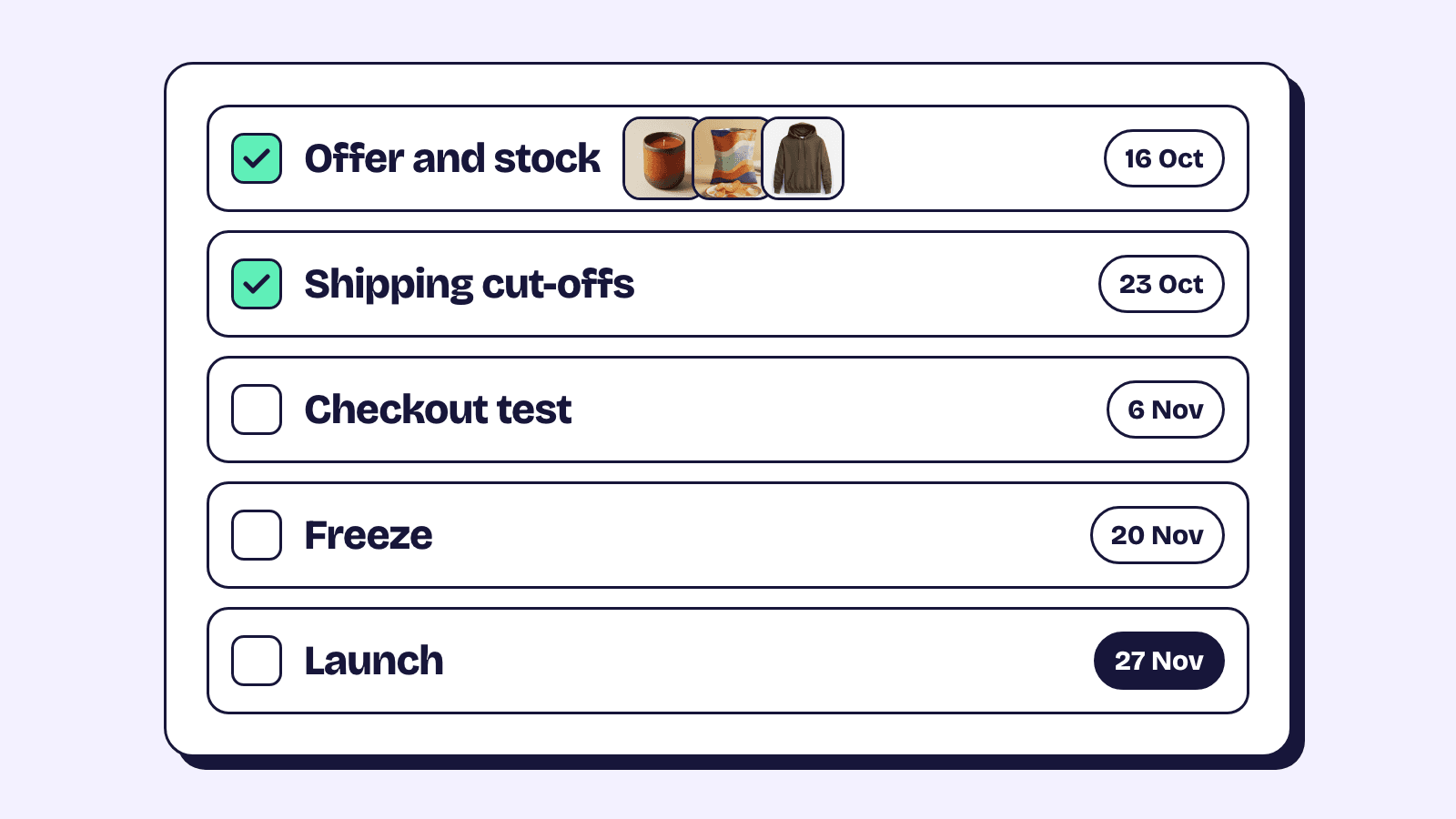
A BFCM checklist for Shopify is mostly about timing: decide the offer early, finish anything that touches the theme or checkout a week before, then spend the weekend watching instead of building. Black Friday 2026 is Friday 27 November and Cyber Monday is Monday 30 November, so 16 October is six weeks out.
Every setting below is in the Shopify admin, with a link to Shopify's help, so the list works whichever apps you run. Starting late? Do the current week first.
| When | Dates | What to finish |
|---|---|---|
| Six weeks out | 16 to 22 October | The offer, its margin, stock and preorders |
| Five and four weeks out | 23 October to 5 November | Shipping cut-offs, returns window, theme speed |
| Three and two weeks out | 6 to 19 November | Checkout, payments, apps, support, email and SMS, discounts with dates |
| Final week | 20 to 26 November | One full test, then hands off |
| The weekend | 27 to 30 November | Watch the numbers, fix only what breaks |
| After Cyber Monday | From 1 December | Wind down, ship, handle returns, write it up |
Six weeks out, choose the offer and check what it costs
Pick one main offer you can explain in a sentence, and decide whether it is an automatic discount for everyone or a code for a list; the Black Friday discounts guide walks through each setting. A sale price (old price in Compare-at price, new one in Price) stays until you change it back, so put the revert in your calendar.
Run the percentage through your margin before you announce it. The breakeven maths in our bundle pricing guide works for any discount: at a 60% margin, 20% off needs 50% more units sold just to earn the same profit.
Then decide what stacks. Each discount's Combinations section says whether it combines with product, order or shipping discounts, and some pairings depend on eligibility rules in Shopify's discount combinations page.
Six weeks out, count stock and decide on preorders
Count your top sellers while there is still time to reorder, and make sure inventory tracking is on for everything in the sale.
Continue selling when out of stock lets customers buy past zero. Turn it on only for products you know you can restock and ship on time; it does not apply to orders placed in Shopify POS.
Preorders need a preorder app, and Shopify's preorder setup page lists limits to check first:
- Shop Pay, Apple Pay, Google Pay and local methods such as Klarna can't be used to buy a preorder.
- Preorders work only in the Online Store and custom storefronts, and Buy X get Y discounts don't apply to them.
- When you can't ship in the promised time, you must give a new date and explain the customer's right to cancel or get a refund.
For a warning before something runs out, Shopify Flow has a template called Get notified when product inventory is low.
If you sell bundles, count the components, not the bundle. Shopify's own bundles take their stock from the product with the lowest inventory, so a fixed bundle sells out when its scarcest item does. Bundle apps such as Elite Bundle Builder track stock on the real products too; in its mix and match boxes a sold-out item shows as sold out and can't be added, while the rest stay on sale. For offers to stock for, see Black Friday bundle ideas.
Five and four weeks out, publish shipping cut-offs and your returns window
Look up each carrier's published holiday deadlines for this year (USPS, UPS, FedEx, Royal Mail or your own), add your own packing time, and work out your last order dates from that. Don't reuse last year's dates. Put the dates in the announcement bar, near Add to cart, in the cart and in your shipping policy.
Under Settings, Shipping and delivery, Estimated delivery dates, the Manual option adds your Fulfillment time to the carrier's transit time and shows a date range at checkout, counting Monday to Friday with a noon cut-off in the shipping origin's time zone. If your team will be slower in BFCM week, raise the fulfilment time. Dates show only for some rate types and countries; Shopify's delivery dates page has the list.
For shoppers who miss the last post, local pickup, local delivery and digital gift cards still work, and a gift card can carry recipient fields with a Send on date if your theme supports them.
Set the holiday returns window now too. Return rules live in Settings, Policies, and changes apply only to future orders, so a longer window has to be in place before the first sale order. The written policy doesn't update itself from those rules, so edit its text to match.
Five and four weeks out, test speed on a phone and remove unused apps
Do speed work now, because Shopify's web performance reports use real visitor data from the past 30 days and can lag by up to 36 hours. They rank LCP, INP and CLS as good, moderate or poor, and tag app installs and theme updates on the charts.
- Duplicate the live theme first, so there is a copy to go back to.
- Open the home page, a collection, a product and the cart on a real phone over mobile data, with the sale banner and any pop-up switched on.
- Resize banner images to the size they display at, and remove any app that isn't earning its place.
Uninstalling an app removes its app embeds and blocks, but Shopify's speed guide warns that code an app wrote into your theme stays. Switch off embeds you no longer use in the theme editor's App embeds panel, and clear old tags from your tag manager.
Three and two weeks out, test checkout and payments end to end
Place a test order with Shopify Payments test mode, the test payment gateway, or a real order you refund. Customers can't place live orders while your payment provider is in test mode, so do it at a quiet hour and switch back.
Create each BFCM discount now with its Active dates; the Black Friday discounts guide covers start and end times, the time zone and testing a copy before the start. Test each one: a cart that qualifies, one with an excluded product, and every combination you allowed, at least once on a phone with the express checkout buttons you show.
While you are there, check your payout schedule under Settings, Payments (banks usually take 1 to 3 business days on top), and make sure abandoned checkout emails are on in Apps, Messaging, Automations.
Decide who reviews risky orders. Shopify's fraud analysis adds an Order risk section to each order and warns that fulfilling high-risk orders can lead to more chargebacks. Check flagged orders before they ship.
Three and two weeks out, freeze app changes and test the whole stack
Pick a freeze date, 20 November at the latest, after which nobody installs an app, edits the theme or changes a pricing rule. Our view: the most useful thing you can do in the final week is nothing new.
Before the freeze, list every app that touches price, cart or checkout: discounts, bundles, upsells, subscriptions, cart drawers, shipping rates. Test them together on a phone with a test copy of your BFCM discount, because apps that each work alone can still disagree about one cart. Note how to reach each one's support over the weekend.
Subscribe to Shopify Status so you hear about platform incidents early.
Three and two weeks out, prepare support and schedule email and SMS
Write answers now to the questions you'll get: where is my order, will it arrive in time, how returns work, why a code didn't apply. In Shopify Inbox these can become instant answers, and the built-in Track my order answer handles the first one. Put your weekend support hours on the contact page.
For email, authenticate your sending domain first. Settings, Notifications, Sender email gives you CNAME records to add, and Gmail and Yahoo also want a DMARC record. DNS changes can take up to 48 hours, and without authentication your sender address is rewritten to a shopifyemail.com one, as Shopify's email setup page explains.
Plan the sends against the dates: early access, the Black Friday launch, a weekend reminder, Cyber Monday, a last call. In Shopify Messaging, Schedule send takes a custom date and time, and Edit send date moves or cancels it. Check that every code and end date in an email matches the discount you built.
Send marketing only to people who agreed to it. Shopify collects email and SMS consent at checkout under Settings, Checkout, Marketing opt-in, and SMS needs a terms of service and privacy policy first. Check the rules for marketing texts where your customers live.
Final week, run one full test, then stop
Open each discount once more and check its Active dates and Combinations. Then do one dress rehearsal on a phone: land on the sale page from an email link, add the offer, check out with a test payment, and read the confirmation email.
Fix only what breaks, and agree who watches orders, who handles support and who can switch back to the duplicated theme.
BFCM weekend, watch a few numbers in Shopify
Keep Live View, under Analytics, open. It shows visitors from the past 5 minutes, sales, sessions and orders since midnight in your store's time zone, and the last 10 minutes of active carts, checking out and purchased. If active carts climb while purchased stays flat, place an order yourself before you change anything.
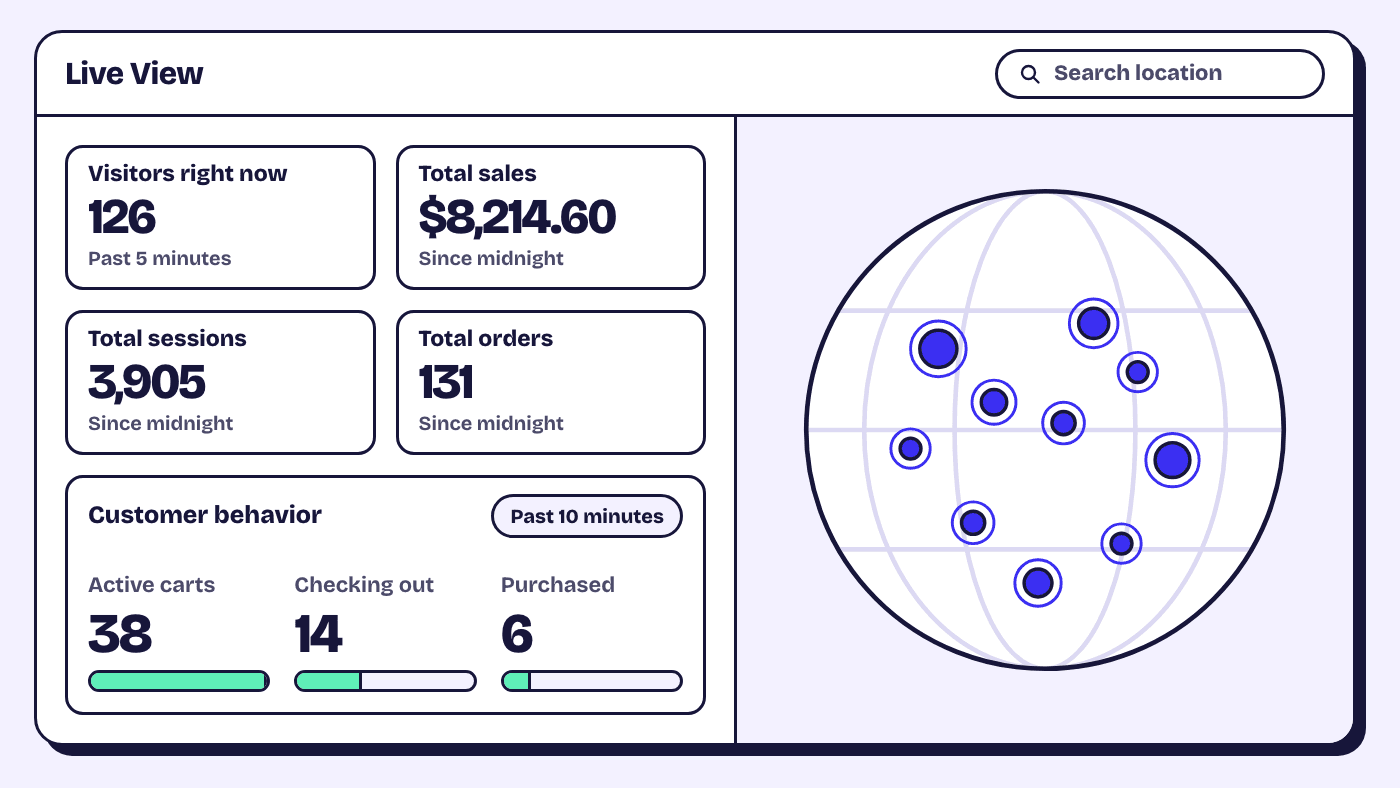
Be careful with year-on-year comparisons: Shopify changed how Analytics measures sessions from 21 September 2026, so compare orders, sales and customer counts, which aren't affected.
After Cyber Monday, wind down and write it up
- Confirm every discount has ended and every sale price is back, then take the BFCM banners down.
- Put your December shipping cut-offs in the banner instead.
- Ship the backlog, and give preorder customers a new date if you slip.
- Lift the freeze and reorder whatever sold out.
While it is fresh, write a one-page note: what sold out and when, which sends brought orders, and the support questions that came up most. That note starts next year's checklist.
Frequently asked questions
When should a Shopify store start preparing for BFCM?
Six weeks before Black Friday is a comfortable start, which for 2026 is 16 October. That leaves time to reorder stock, see speed changes in Shopify's web performance reports, and set a holiday returns window before the first sale order.
What should I stop changing before Black Friday?
Apps, theme edits and pricing rules. Build and test them by 19 November, then leave them alone, so the only changes on launch day are the ones you planned.
How do I show holiday shipping deadlines on Shopify?
Work the dates out from your carriers' published holiday deadlines plus your packing time, then put them in the announcement bar, on product pages, in the cart and in your shipping policy. Shopify's estimated delivery dates at checkout can back this up for supported rates.
Why does my conversion rate look different from last year?
Shopify changed how Analytics measures sessions from 21 September 2026, focusing on human visitors and classifying bot traffic more consistently, so session-based metrics such as conversion rate may shift without a real change in shoppers. Orders, sales and customer counts are unaffected, so compare those year on year.