Blog /
How to increase average order value on Shopify
Increase average order value on Shopify with a free shipping threshold, product recommendations, bundles and add-ons, then measure the change in reports.
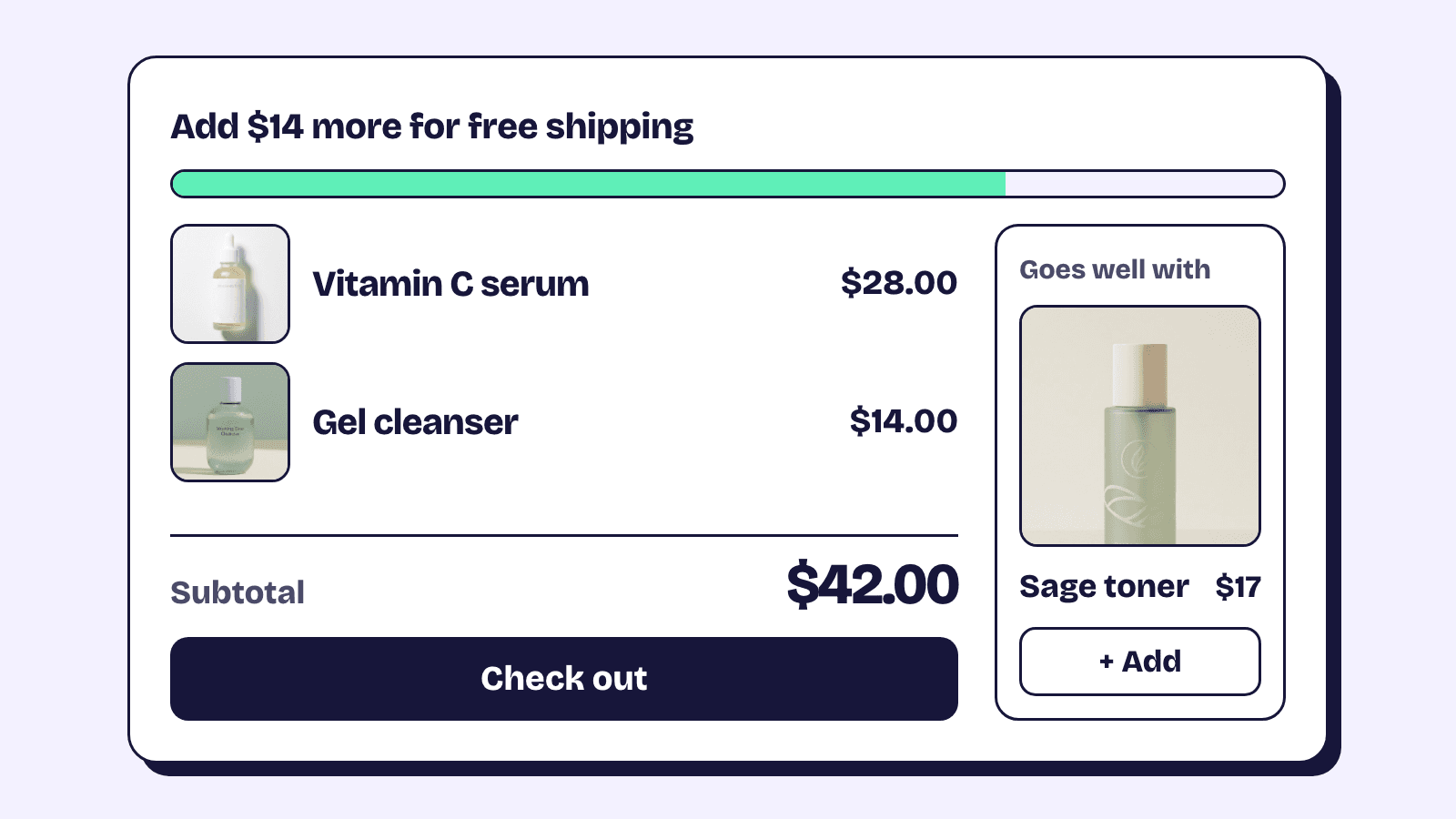
To increase average order value on Shopify, give the shopper a good reason to add one more thing before they pay. On Shopify that usually means a free shipping threshold set just above what people spend today, a matching product shown next to the one they are looking at, and a set that costs less than its parts. Most of it runs on Shopify's own settings and free Shopify apps. Below is each tactic, the maths for the ones that cost margin, and how to measure the result.
Write down your current AOV first
Record your AOV before you change anything. In the Shopify admin, open Analytics, then Reports, and pick Orders over time. It shows Average order value, the average amount per order in the period, next to Average units ordered.
Use the same report every time. Shopify's pages define the figure differently (the FAQ at the end has both versions), and a spreadsheet of order totals will disagree with each.
Then export the same period's orders from the Orders page. The Subtotal column (the order before shipping and taxes) shows the spread an average hides.
Set a free shipping threshold from your current AOV
A free shipping threshold works on shoppers who are a little short of it. Set it far above your AOV and almost nobody tries. Set it below and you give free shipping to orders that were coming anyway.
A starting point you can calculate: your current AOV, plus your average label cost divided by your gross margin. Free shipping moves the label cost from the shopper to you, so the extra items have to earn it back.
| Current AOV | Label cost | Gross margin | Extra basket needed | Starting threshold |
|---|---|---|---|---|
| $42 | $7 | 50% | $7 ÷ 0.50 = $14 | about $56 |
| $80 | $9 | 60% | $9 ÷ 0.60 = $15 | about $95 |
In the first row, a shopper who tops up from $42 to $56 leaves you the same margin as before. The cost is the orders already above the line, which now get free shipping they used to pay for, so sort your export by Subtotal and count them first.
There are two ways to set it up. In Settings, then Shipping and delivery, open a shipping profile and, in each zone, add or edit a shipping option: choose the Order amount rate type with a free range from your threshold up, or select Offer free shipping and enter the minimum. Shopify's shipping rates guide has one warning worth repeating: leave Maximum empty on the top range, or a large order gets no rate and a shipping error at checkout.
The other way is an automatic free shipping discount with a minimum purchase amount. Taxes never count toward the minimum, and products count at their discounted price only when the discount that lowered them can combine with free shipping.
Then say it before the cart: in your theme's announcement bar if it has one, and on the cart page.
Add a spend threshold with a free gift or money off
Shopify's Buy X get Y discount can take a minimum purchase amount as the condition and a free item as the reward, so "spend $80 on skincare, get the travel size free" needs no app. An Amount off order discount with a minimum purchase amount gives you "$10 off orders over $80" instead.
One detail catches people out: Shopify does not add the free item to the cart, so the shopper has to. Say so on the page and make the gift easy to find.
Run one threshold offer at a time if you can. Whether a gift, an order discount and free shipping apply together depends on Shopify's rules for combining discounts, and when discounts can't combine, Shopify applies the best one for the customer's cart.
Recommend complementary products with Search & Discovery
Shopify's free Search & Discovery app sets two kinds of product recommendations. Related products are similar items, and Shopify generates them automatically. Complementary products are bought in addition, like the case for the phone or the refill for the bottle, and you choose them yourself, up to 10 per product.
For AOV, complementary is the one that matters, since a related product swaps one item for another. Shopify suggests complementary items that cost the same as or less than the product they sit on.
Go to Apps, then Search & Discovery, then Product recommendations, and click Add recommendations. Pick a product, choose its complementary products and save. Then, in the theme editor, add the Complementary products block to the product information section of the product template.
Pick pairs from your orders, not hunches. The Items bought together report, under Analytics, then Reports, lists the combinations your customers already buy.
Shopify hides a recommendation that is sold out (a complementary product needs stock above zero), unlisted, priced at $0.00, a gift card, missing from the Online Store, or already in the cart.
Keep cart cross-sells to one or two small items
Whether your cart page or drawer can show recommendations depends on your theme, so check its cart sections in the theme editor before you install anything. Our opinion: the cart is the worst place for a hard sell. One small item that completes the order (batteries, a refill, a care kit) suits that moment, while three unrelated suggestions only push the checkout button further down.
Sell bundles and kits that cost less than the parts
A bundle raises AOV by turning several decisions into one. Shopify Bundles, Shopify's own app, is free on every plan and makes fixed bundles and multipacks, such as a starter kit or a 3-pack. Its limits include 30 components in a fixed bundle and 3 options and 100 variants per bundle, and a bundle's price does not follow its components' prices, so recheck bundles after any price change.
When the shopper should choose what goes in, such as a pick any 5 box, you need a bundle builder app. Elite Bundle Builder is the one we make, and the mix and match bundle examples post has seven set-ups to copy.
Price the bundle before you publish it. A bundle discount has to bring enough extra items to pay for itself, and the bundle pricing strategy guide has the breakeven table. For ideas, go back to Items bought together: products people already buy together are a bundle waiting for a price.
Quantity breaks take one Shopify discount per step
Quantity breaks reward more of the same thing: buy 2 and save 5%, buy 4 and save 10%. For retail shoppers, the native route is an automatic Amount off products discount with a minimum quantity of items. Each discount has one value and one minimum, so a ladder is one discount per step.
Product discounts on the same item stack only on Shopify Plus, and when discounts can't combine, Shopify applies the best one. So unless you are on Plus and set them to combine, a 4-item cart gets the 10%, not both.
Shopify's built-in volume pricing is a B2B feature, set in catalogs for company customers. For a quantity break table on the product page, look for a volume discount app.
Offer gift wrap and paid add-ons
An add-on raises AOV without asking the shopper to want a second product. The simplest native gift wrap is a Gift wrap product with a price, set as a complementary product on the items you can wrap. The recommendation rules above apply: price it above $0.00 and keep it in stock, or Shopify will not show it.
Engraving and monograms work the same way when they belong to one item. If you sell gift boxes, the paid add-ons guide shows how to charge for wrap or engraving per item or once per bundle.
Adding them for Black Friday? The BFCM checklist has a week-by-week plan for testing checkout before 27 November.
Make one offer after checkout
A post-purchase offer shows after the order is confirmed and before the Thank you page, and what the shopper accepts is added to the order they just placed. There is no basket left to abandon. These pages come from apps built on Shopify's post-purchase extension, which Shopify lists as beta, on every plan except Starter.
Shoppers who pay with an instalment or wallet service such as Klarna, Afterpay, Apple Pay or Google Pay do not see it, and neither do orders paid with a gift card or anything other than a credit card. Before you credit an app with a higher AOV, check how its accepted offers show up in Shopify's reports.
Treat loyalty as a repeat purchase tool first
A points program's main job is bringing people back, so judge it on returning customers before AOV. To make a reward lift basket size, tie it to spend: one that can only be used on orders above your current AOV, if your app lets you set a minimum.
Shopify itself offers store credit: you issue it from a customer's profile, with or without an expiry date, and customers apply the full balance at checkout when signed in through customer accounts or Shop Pay (not legacy customer accounts).
Measure the change in Shopify analytics
Change one thing at a time, then compare whole weeks with the same number of whole weeks before. One good Saturday proves nothing.
Read three numbers together: average order value, average units ordered and conversion rate. AOV up with units flat means dearer items or higher prices, not more items per order. AOV up while conversion falls can mean the threshold put off small orders. Revenue is sessions × conversion rate × AOV, so a higher AOV on fewer orders can still be a loss.
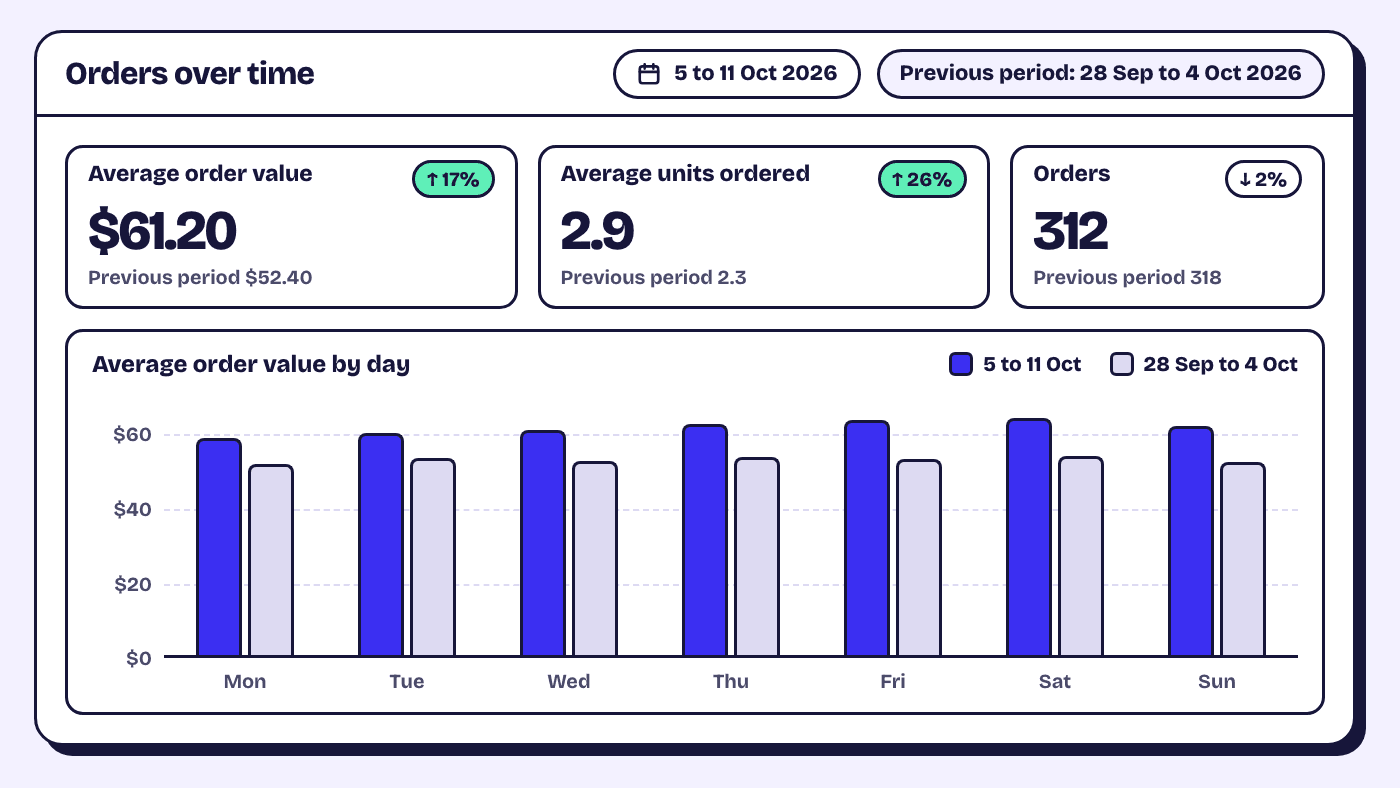
Two calendar traps this autumn. Shopify changed how Analytics measures sessions from 21 September 2026 and says to treat later reports as a new baseline, so do not compare sessions or conversion rate across that date. And Black Friday weekend moves AOV on its own: compare it with the same weekend last year, not the week before.
If you sell bundles, the bundle analytics guide covers which numbers to read on the bundle page and which in Shopify's reports.
Frequently asked questions
What is a good average order value for a Shopify store?
There is no number that fits every store, because AOV follows what you sell and at what price. The useful comparison is with your own store: the same report, over periods of the same length, before and after a change.
How does Shopify calculate average order value?
The Orders over time report shows it as the average amount per order. Shopify's sales reports page gives the formula as gross sales minus discounts, divided by orders, leaving out changes made after the order, such as edits. Shopify Home says its version includes taxes, shipping and discounts before sales reversals. Pick one and compare it only with itself.
Can I increase AOV without installing an app?
Yes. Free shipping thresholds, spend thresholds and quantity discounts are Shopify settings, and recommendations and fixed bundles come from Search & Discovery and Shopify Bundles, free apps made by Shopify. Post-purchase offers, points programs and boxes the shopper fills need an app from the App Store.
Why did my AOV go up when I changed nothing?
Usually something else changed. A price rise, the end of a sale, a few large orders or a shift towards dearer products all move the average. Check Average units ordered in the same report, then sort your order export by Subtotal to see which orders pulled it up.